Copied it? Find it.
Search your clipboard history. Narrow it down by content type, source app or date, and pick up where you left off.
 CopyRail
Find what you copied. Keep what you need.
A little less searching. A little more doing.
Free & open source · Apple Silicon · macOS 13+
Not Apple-notarized. First-launch instructions

COPY. FIND. REUSE.
Search your clipboard history. Narrow it down by content type, source app or date, and pick up where you left off.
Save snippets to pinboards. Rename, edit and reorder the things you reach for again and again.
Queue up a few cards, then paste them one at a time. Handy for filling several fields without the back-and-forth.
THE CONTEXT STAYS WITH YOU
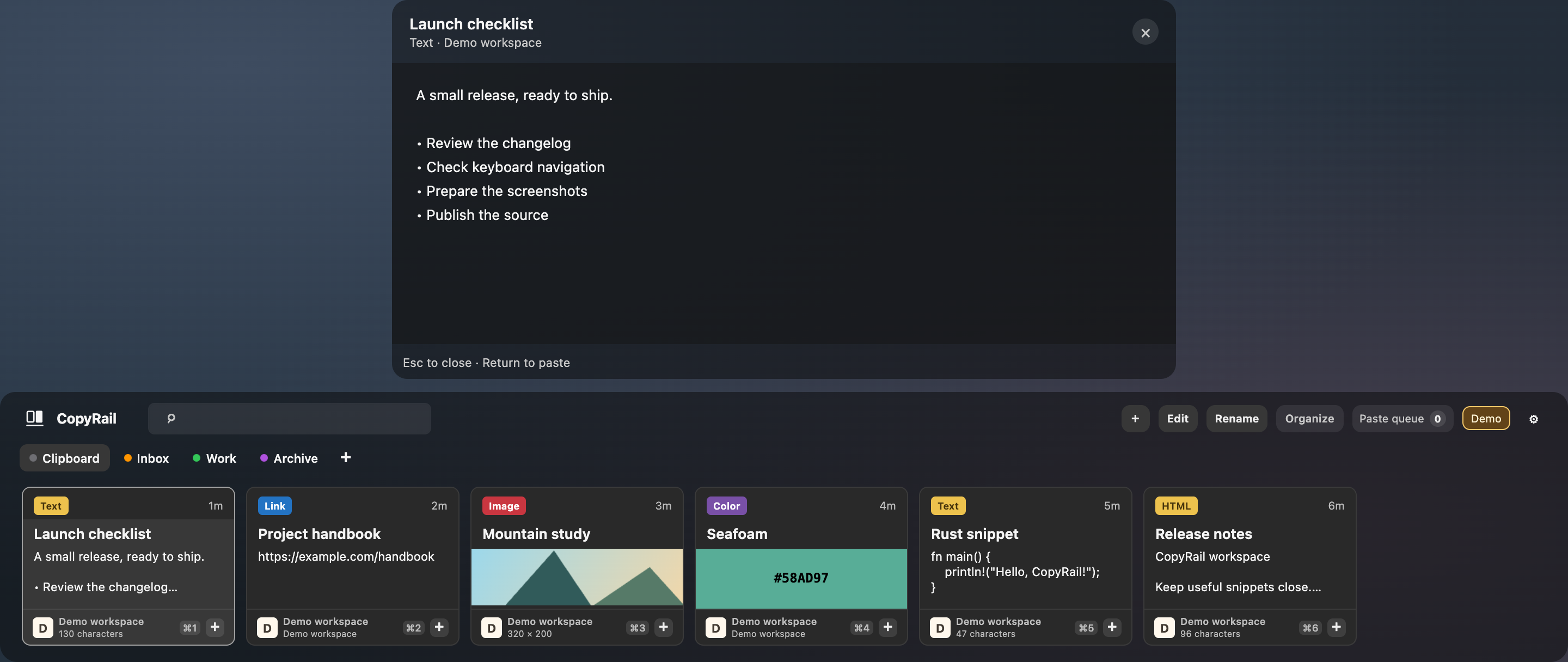
Tap Space to open a preview above the rail. Read a longer note or inspect an image, with your history still in view.
SMALL DETAILS, DAILY DIFFERENCE
Built with Rust and Tauri.
Made to keep useful things close.
Your clipboard history stays on your Mac. Pause capture, exclude apps, set retention limits, and export a backup.
Keep links, images, files, PDFs, colors and HTML alongside your notes. Choose plain-text output when you need it.
Choose English or Simplified Chinese, adjust background transparency, and reopen at the latest item or your last position.
COPYRAIL 1.0
Give your clipboard a little more room.
Apple Silicon · macOS 13+ · DMG, 12.8 MB
ZIP, checksums & release notesNot Developer ID-signed or notarized.
Read the first-launch guide before opening.
The 1.0 download is for Apple Silicon Macs (M1 or later) running macOS 13 or later. Intel, Windows and Linux installers are not included.
CopyRail is locally signed, without Apple Developer ID signing or notarization. macOS may ask you to allow it in Privacy & Security. Follow the installation guide. Direct paste also needs Accessibility permission; copying an item does not.
No. Version 1.0 stores history locally and does not include multi-device sync. History and exported backups are not encrypted by the app. You can pause capture or exclude apps in Settings.
Yes. Project-owned code and graphics are licensed under Apache-2.0. You can read the source, build it yourself and contribute. Third-party components keep their own licenses.
Use GitHub Issues for feedback and bug reports. Cross-app behavior and compatibility are still being expanded; the verification record lists what has been tested and what remains open.